
Nagad88 Login: Sign In on the Website or App in Bangladesh
The Nagad88 BD login needs two things: the username you chose at sign-up and your password. Fill them in on the official site and press LOGIN to reach your BDT balance, games and cashier. The same details work in the Nagad88 official app, so one account covers your phone and your computer. If you forget the password, you can reset it with a one-time code sent to the +880 number on your account. The steps are the same on a computer and on a phone, because the form is the same.
Open your BDT wallet
On Android, the app can let you in with a fingerprint after the first sign-in, so you type the password only once.
How to log in on the Nagad88 website
Nagad88 has no separate login address: the form opens as a window on top of any page of the site, so the Nagad88 com login and the website login are one and the same form.
-
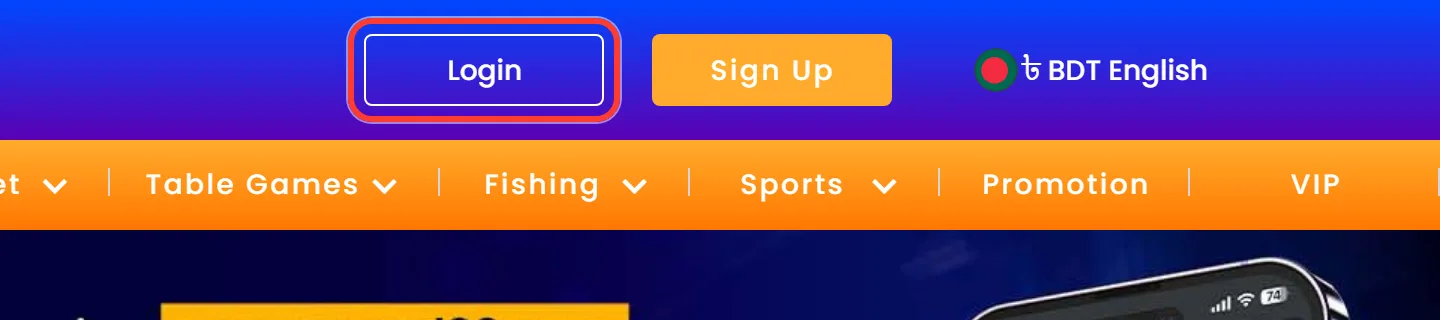
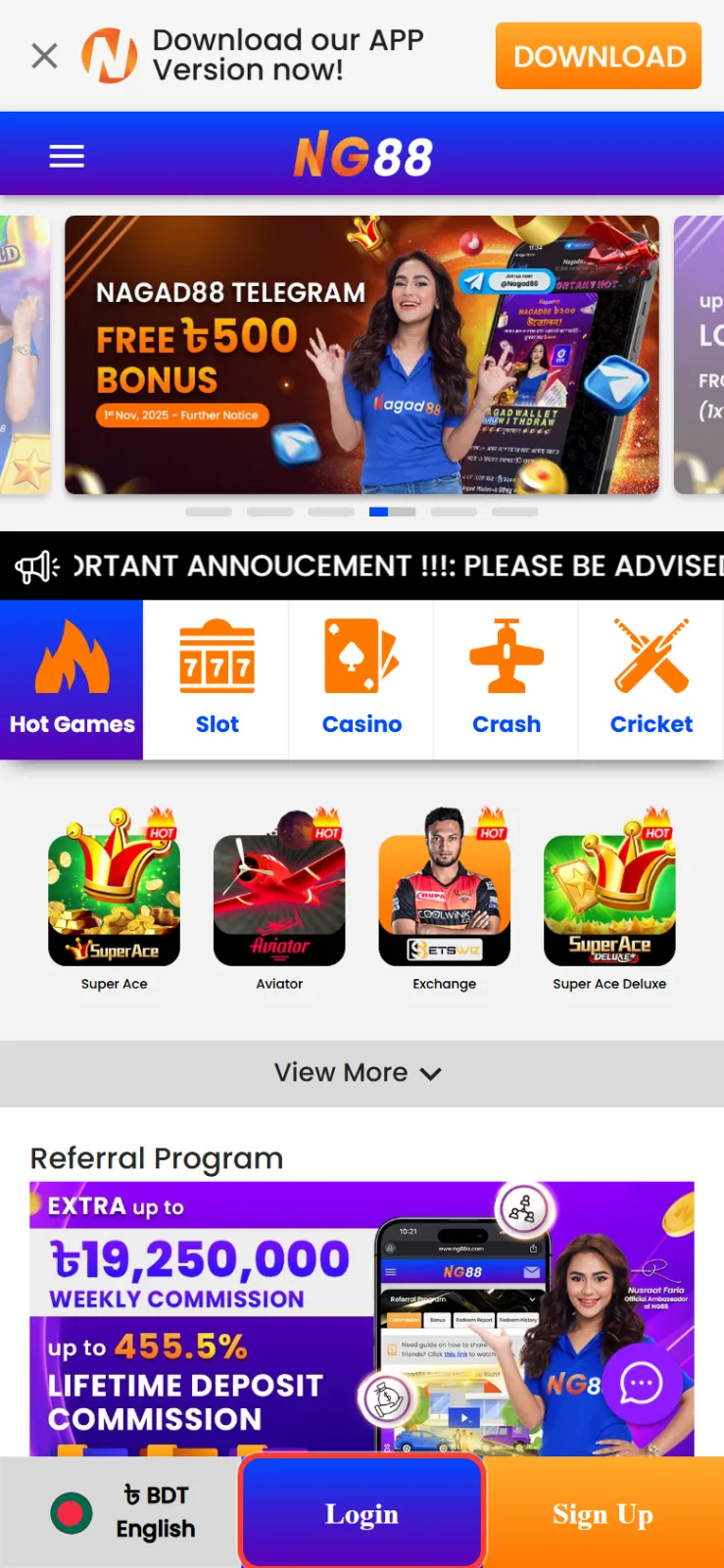
Tap Login in the header on a computer, or in the bottom panel on a phone.
-
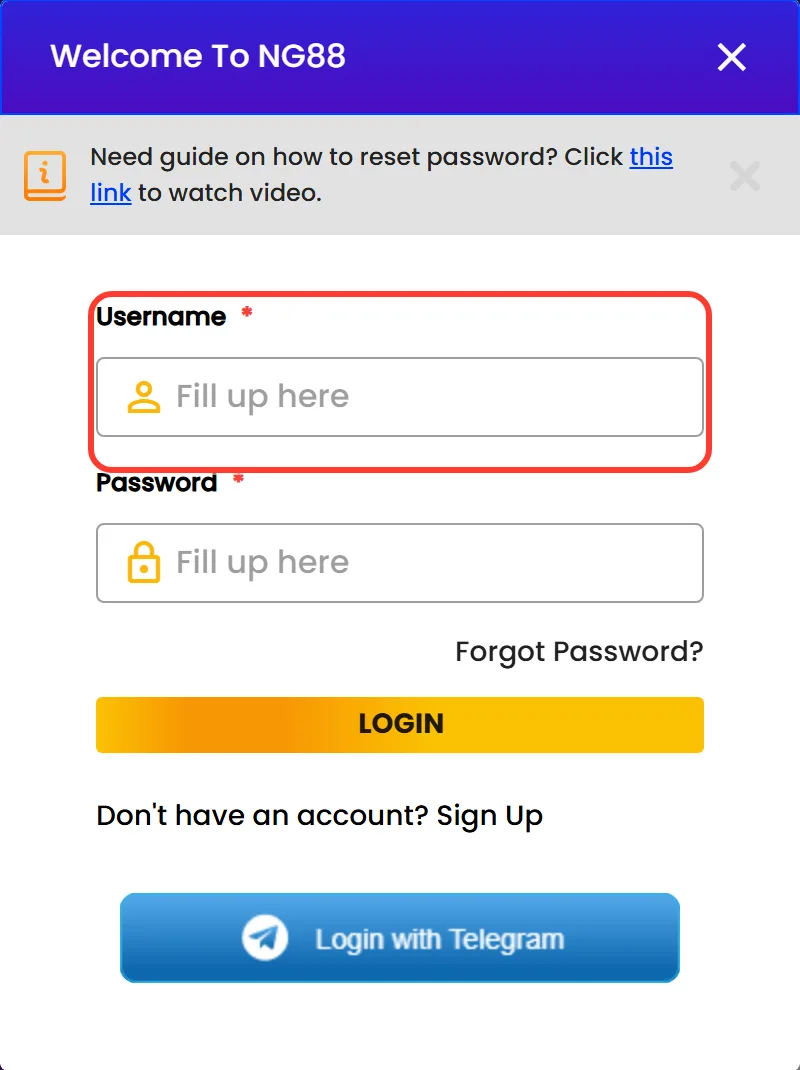
Type your username in the Username field exactly as you created it. It has 6 to 13 characters.
-
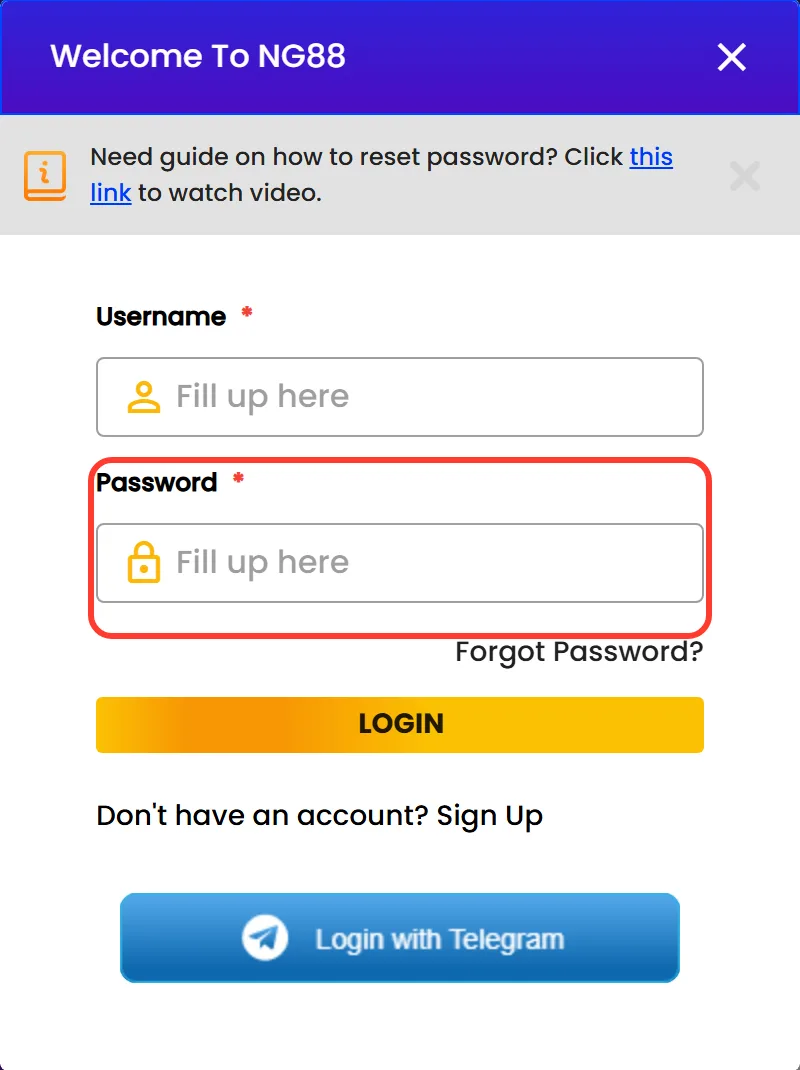
Enter your password in the Password field.
-
Press the yellow LOGIN button to open your account.
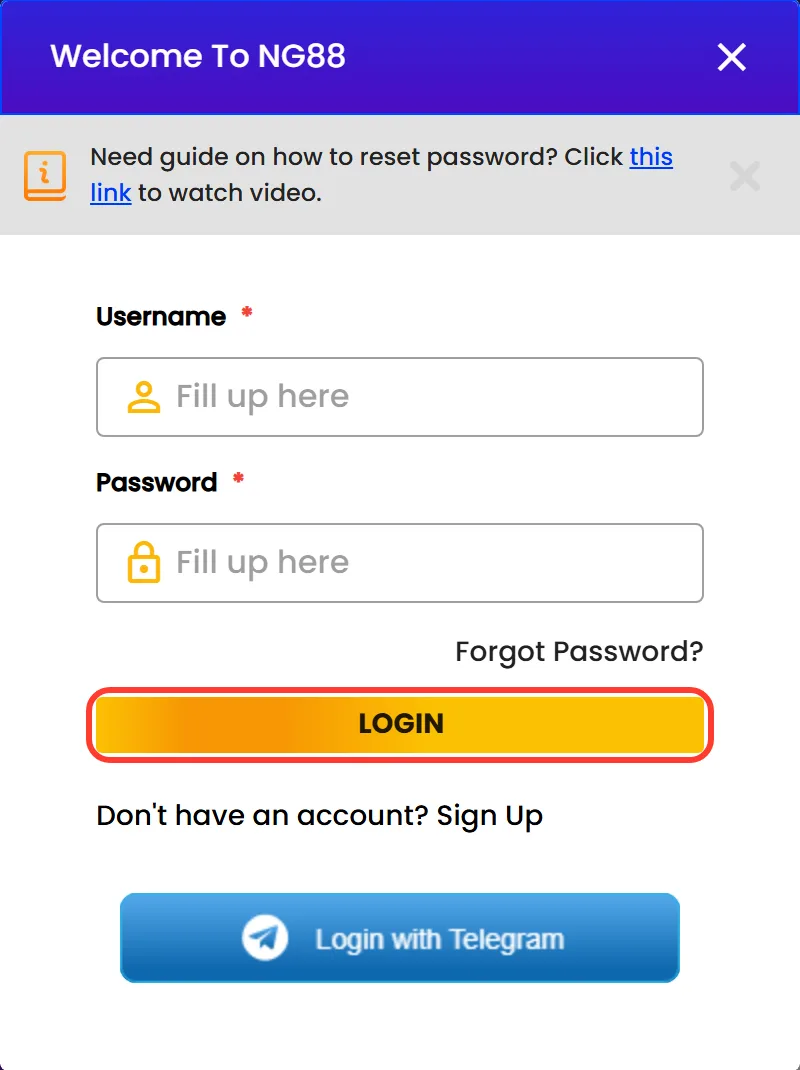
After you sign in, your Main Wallet balance replaces Login and Sign Up in the header. The window also has a Login with Telegram button and a Forgot Password? link under the password field. Slots, live games and Cricket all use this one form, so there is no separate Nagad88 casino login to remember. Players without an account can open the Nagad88 sign up form from the "Don't have an account? Sign Up" line at the bottom of the window.
Nagad88 app login: one account, fingerprint access
The Nagad88 app login uses the same username and password as the website. The Android app opens the mobile site, so your balance, bonuses and history are already there after the first sign-in.
What the app adds on Android:
- Fingerprint or other biometric sign-in on phones with a sensor, so you do not have to type the password every time.
- Push notifications about bonuses and promotions. On Android 13 and newer, the app asks for this permission at first launch.
- A counter of unread notifications on the app icon with Samsung, Huawei, Oppo, Sony and HTC launchers.
The app is a small file, so it works on older and budget Android phones too. Download it only with the official button above: copies of the file circulate on other sites.
There is no App Store version for iPhone. The Nagad88 app login on iOS works from the Home Screen icon that you add in Safari, with your usual username and password.
Fingerprint sign-in on Android
Get the AppLost your password? Reset it with a phone OTP
A forgotten Nagad88 login password is reset with an SMS code sent to the phone number on your account, so keep that SIM card nearby. The steps are the same on the website and in the app, because the app opens the same form.
Open the Login window and tap Forgot Password? under the password field.
Type the four digits from the picture into the Verification Code field. Tap the refresh icon if they are hard to read.
Keep +880 as the country code and enter the phone number you registered with.
Press Request OTP, then type the code from the SMS into the Otp No field.
Press Reset, finish the password change on screen and sign in with the new password.
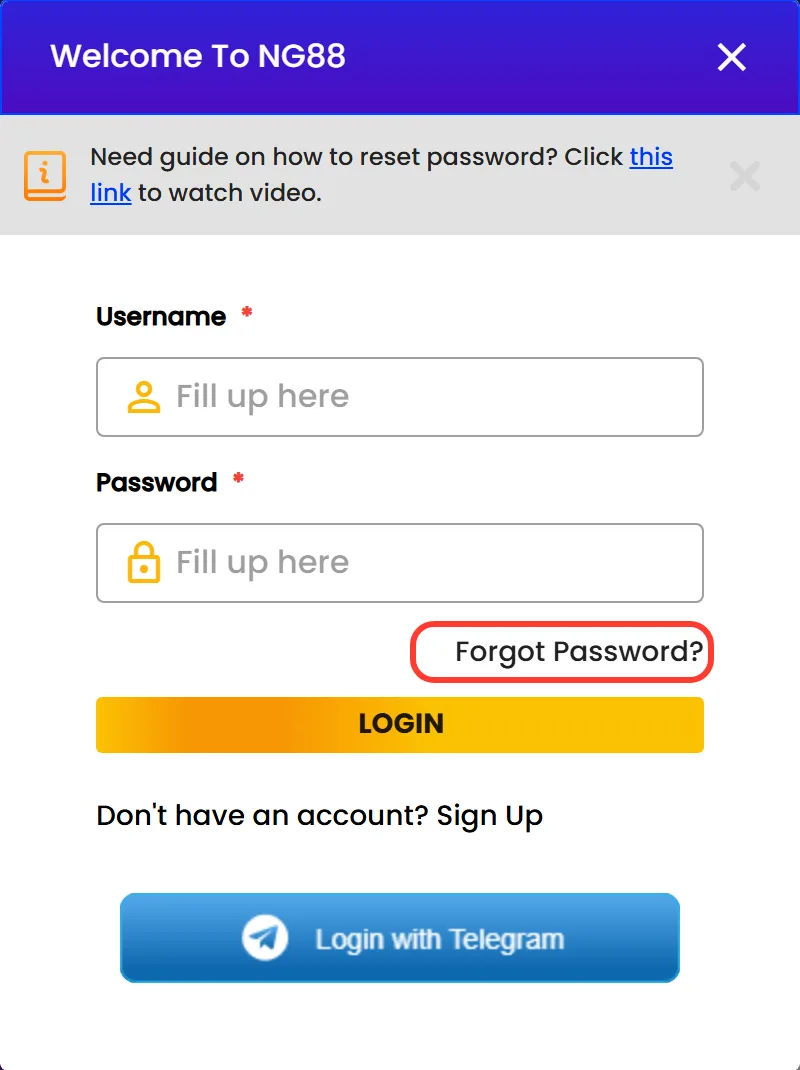
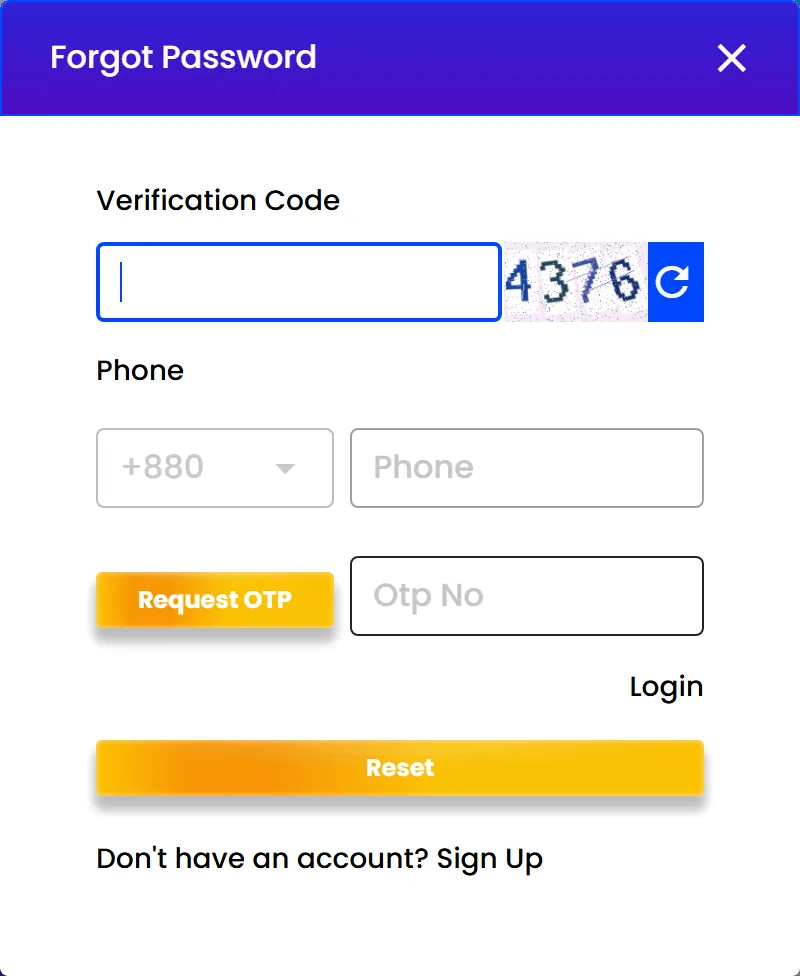
The Login window also links to a short video guide on resetting the password. If the code does not arrive, check that the number matches the one on your account before you request a new OTP. For the new password, pick something you do not use for your bKash or Nagad wallet.
Login not working? Five problems and what to do
When sign-in fails, start with the quick checks in the table. If they do not help, write to 24/7 Live Chat behind the CONTACT US button in the bottom right corner.
| Problem | What to do |
|---|---|
| Password is rejected | Check the username letter by letter, turn off Caps Lock and remove extra spaces. If it still fails, reset the password by OTP. |
| Username is forgotten | Write to Live Chat and give the phone number you registered with. |
| OTP does not arrive | Make sure +880 is selected and the number is the one on your account, then request a new code. If nothing comes, contact Live Chat. |
| Site or app does not open | Write to support@nagad88.com. Type your details only into the official Nagad88 Bangladesh login form, never into a look-alike page. |
| Withdrawal is blocked after login | The cashier asks you to verify your phone number before the first withdrawal. Press Verify on the Withdrawal tab. |
What opens after you sign in
After you log in, the header shows your Main Wallet balance, a Deposit button and Logout. On a phone, the bottom panel changes to Home, Referral, Deposit, Promotion and Profile. Here is where each part of the account lives:
- The Deposit button opens the Nagad88 deposit form with bKash, Nagad and USDT channels.
- Inside that form, the Deposit Bonus list is where you pick a Nagad88 bonus: Play Safe, the 30% Weekly Reload or the 100% Welcome Bonus for a new account.
- Profile holds Funds (Deposit and Withdrawal) and History with Betting Records, Turnover, Transfer Records, Bonus and Transaction Records.
- The Cricket tab leads to Nagad88 cricket on BetSwiz, 9Wicket and Betting Exchange, while Sports opens Saba Sports.
- Slots, Live Casino, Crash, Table Games and Fishing open in the same session, with no second login.
A new account starts at the New Member level. A ৳500 deposit plus ৳3,000 turnover moves it up to Bronze.
Keep your login and OTP codes to yourself
The Nagad88 home page carries a standing warning: the brand will not ask you to transfer money to any third-party account. A few habits keep your account in your hands:
- Never share your username, password, payment receipts or OTP codes with anyone.
- Keep the PIN and OTP of your bKash or Nagad wallet private too.
- Install the APK only from the official download button. The genuine package name is com.nagad88.nagad88.
- Before typing your details, check that the login window opened on the official site, not on a look-alike copy.
- Press Logout when you finish on a shared or borrowed phone, and do not let its browser save your password.
Nagad88 Login FAQ
Is there one login for the casino and cricket?
Yes. One Nagad88 account opens slots, live casino, crash games, Cricket and Sports. You sign in once and move between sections without another form.
Can I log in with my phone number or email?
No, the form asks for your username. Nagad88 does not collect an email at registration. Your phone number is used for password reset by OTP and for verification before a withdrawal.
Do VIP players have a separate login?
No. VIP status belongs to your ordinary account, and the tier changes automatically once the deposit and turnover targets are met. The Nagad88 VIP login is the same username and password you already use.
Do I need to log in again after installing the app?
Yes, once. The first time you open the app, enter the username and password from the website. After that, fingerprint or biometric sign-in can save you from typing the password.
Does logging in give me a bonus?
There is no bonus just for signing in. Offers are chosen in the Deposit Bonus list when you top up. The Telegram channel also gives ৳500 to the first 30 members per link who submit their username, with x8 turnover and at least one deposit before withdrawal.